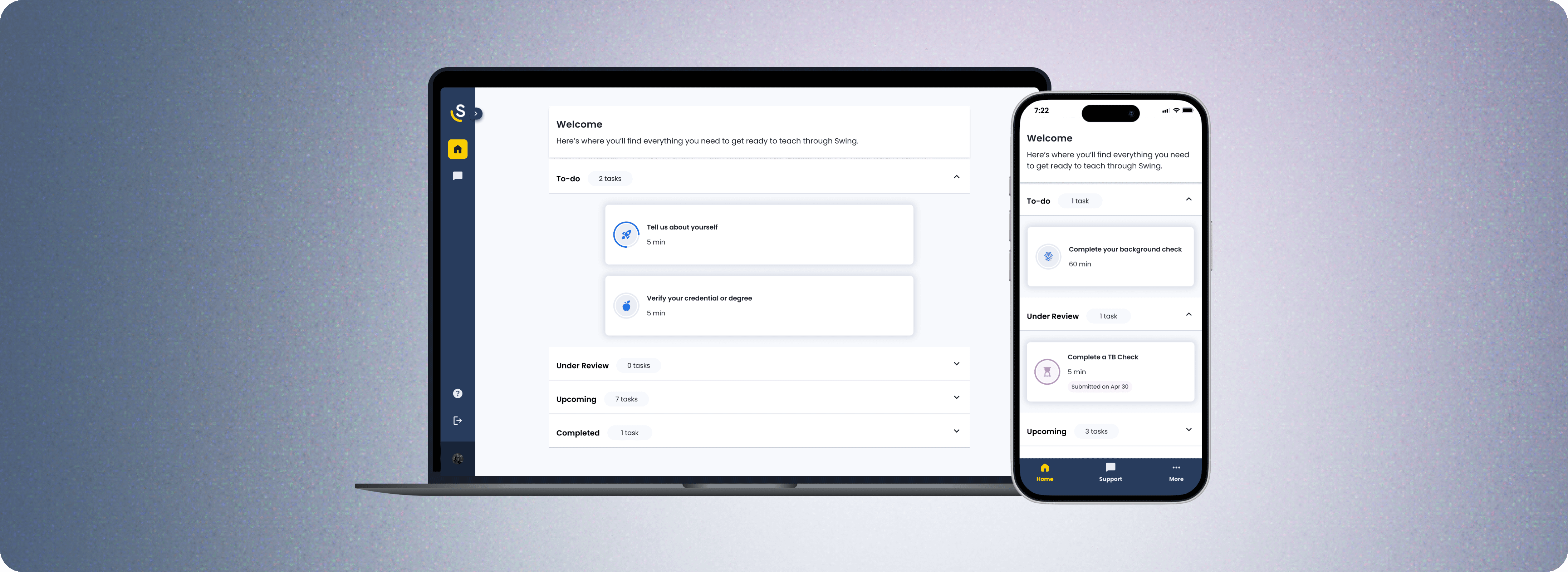
Swing Education
Substitute Teacher Onboarding
Role
Lead Product Designer, Product Manager
Timeline
8 months
Tools
Figma, GitLab, Storybook, LaunchDarkly, Mode
Skills
End-to-end design, Visual design, Prototyping, Usability Testing, Design Systems, Beta Testing
Context
Swing is a marketplace that connects schools with substitute teachers.
Before substitutes can enter a classroom, they must complete safety and compliance requirements.
Problem
52% of customer support time was spent on onboarding tickets
In our largest territory, California, conversion was 4.5%
On average, it would take users 30 days to complete onboarding tasks
Impact
Reduced onboarding ticket volume 12%
Conversion increased 7%, activation grew 16%, lowering CAC 10%
On average 32 days to complete due to a tradeoff to reduce ticket volume
Modernized the backend and built a design system, enabling faster iterations
Research
8
stakeholder interviews
7
process flows mapped
100+
support tickets reviewed
"What should I do next?"
"Did you receive my Live Scan results yet? What's the status of it?"
"How do I get reimbursed?"
Key Pain Points

Lack of transparency
Unclear expectations lead to confusion about requirements and third-party steps

Unclear status
Users have no clear view of remaining steps, timelines, or progress

Overwhelm from fragmented and excessive information
Scattered information across help articles, emails, and external sites leaves users lost
Auditing the existing experience
I dissected the on-platform experience to understand how we could address these pain points.
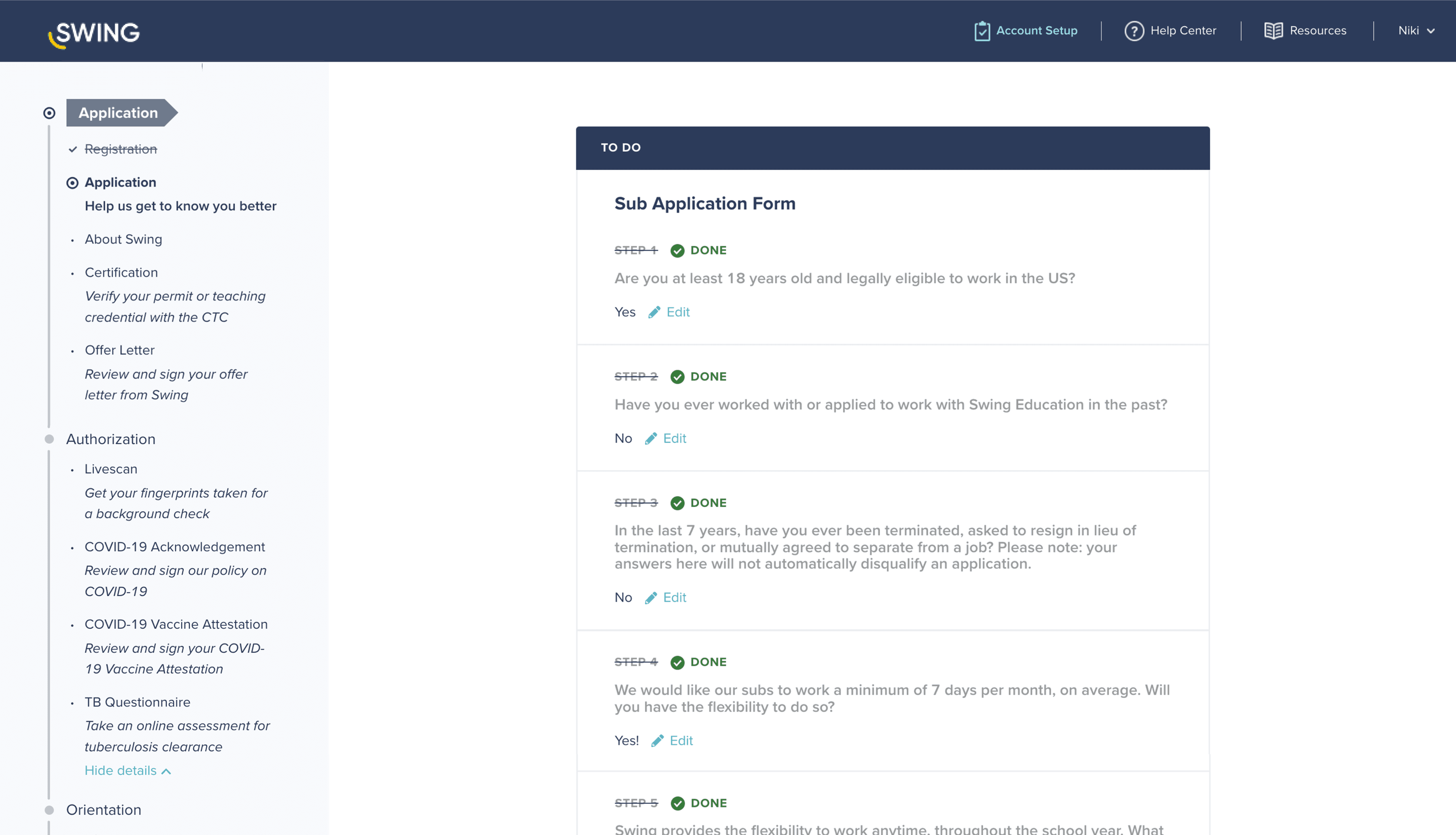
Observation 1
The left-side panel lists tasks but gives little explanation of what the tasks are or how long they will take.
Observation 2
Tasks are grouped into Application, Authorization, and Orientation but the grouping doesn't reduce cognitive load.
Observation 3
The static header says "To Do" while each question has its own status but there's no visualization of progress.
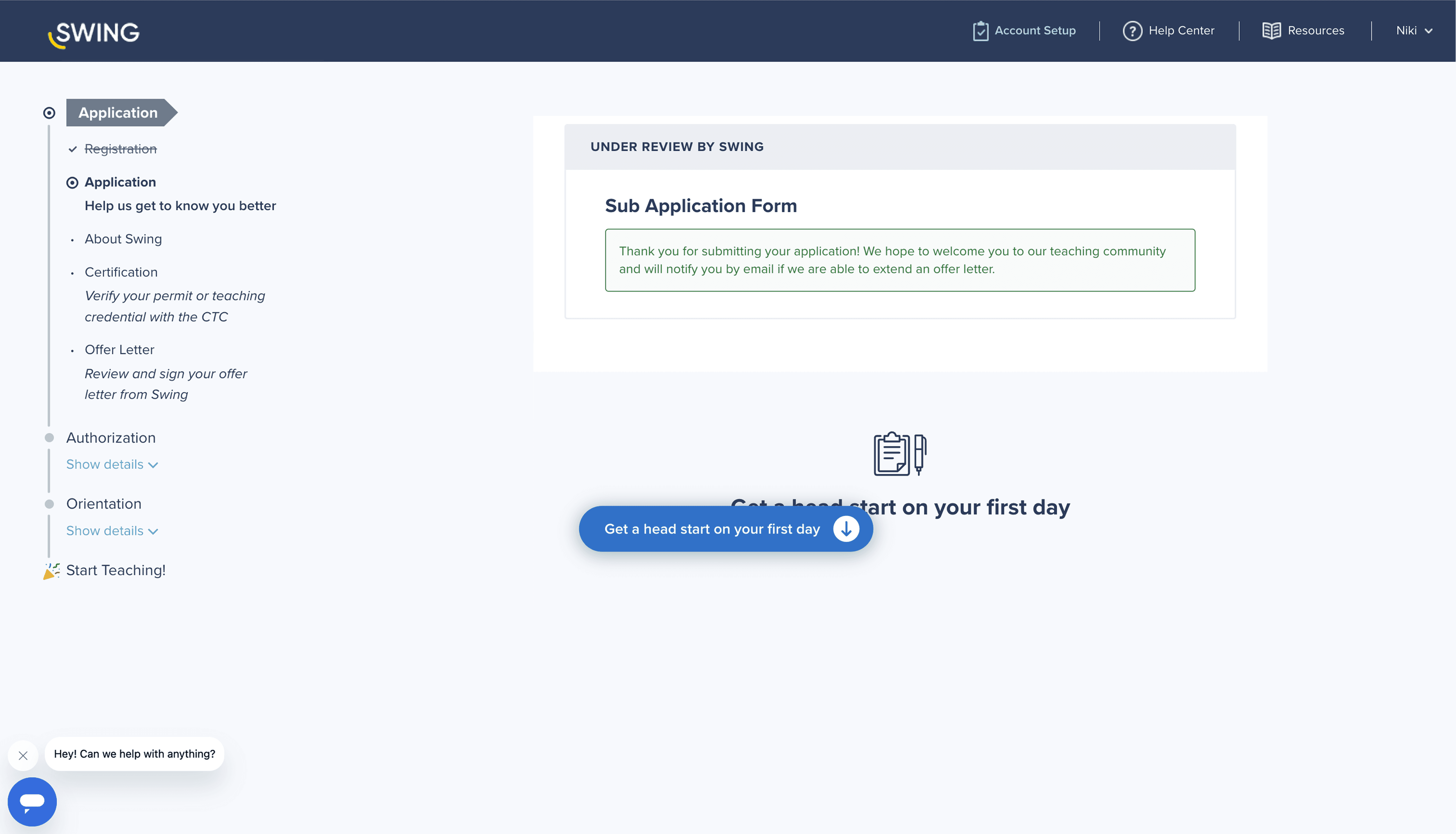
Observation 4
Could users be working on the next tasks while the Application is under review?
Observation 5
The alert is vague and doesn't share how long it will be until users can expect to receive the email.
Observation 6
There are duplicate alerts on the page to "Get a head start on your first day" with nothing below.
How might we redesign onboarding to provide clear expectations, visible progress, and streamlined information in order to reduce support tickets, increase conversion, and shorten completion time?
Brainstorming ideas
Addresses FAQs and revamps task instructions through text
Reduces fragmented information
Already text heavy UI that users ignore
Offers office-hour sessions where users can get real-time onboarding support
Short term solution to impact conversion
Shifts support burden instead of reducing
Helps waitlisted users see why they’re ineligible and stay engaged as future candidates
Gives transparency
Serves an edge case
Removes the policy review and attestation step since COVID-19 is no longer a school concern
Shortens time to complete onboarding
Little impact on success metrics
Converts the live ADP webinar into async modules to reduce friction of scheduling
Improves accessibility, cuts internal ops
Compliance considerations
Allows users to view available jobs during onboarding to motivate progress
May impact conversion
Doesn't address key pain points
Shares estimated times and descriptions of tasks to set expectations for onboarding
Addresses transparency
Inconsistent with on-platform experience
Interactive checklist
Transforms the static left-side panel into a dynamic landing page that guides users through onboarding while displaying progress, status, and estimated times
Addresses user and business needs
Heavier technical lift
Balancing impact and complexity
Modernization became a priority on the roadmap as growing technical debt created bottlenecks across the organization.
Once modernization was approved, I received the green light to design the interactive checklist from the ground up alongside the codebase overhaul.
Open exploration
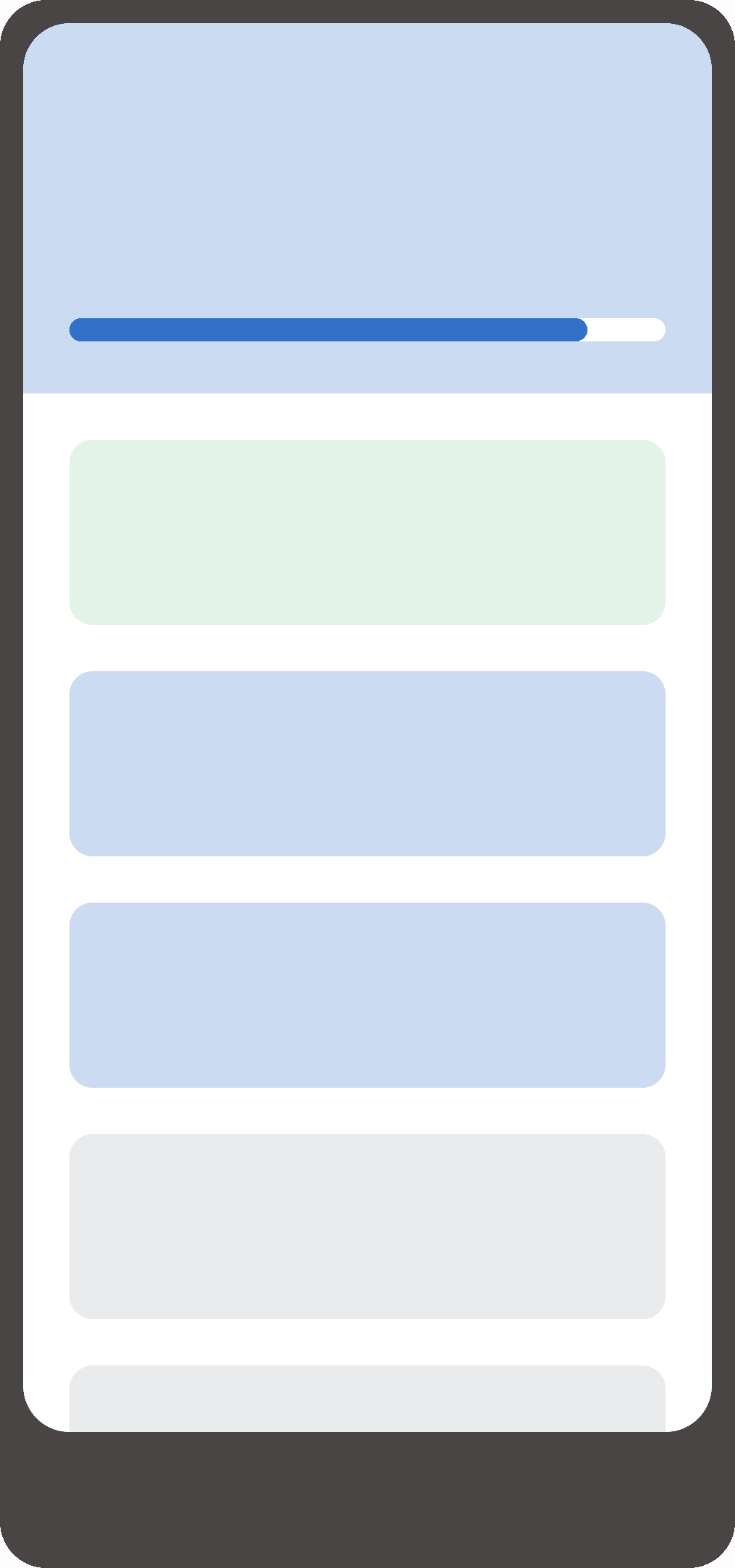
Display all tasks
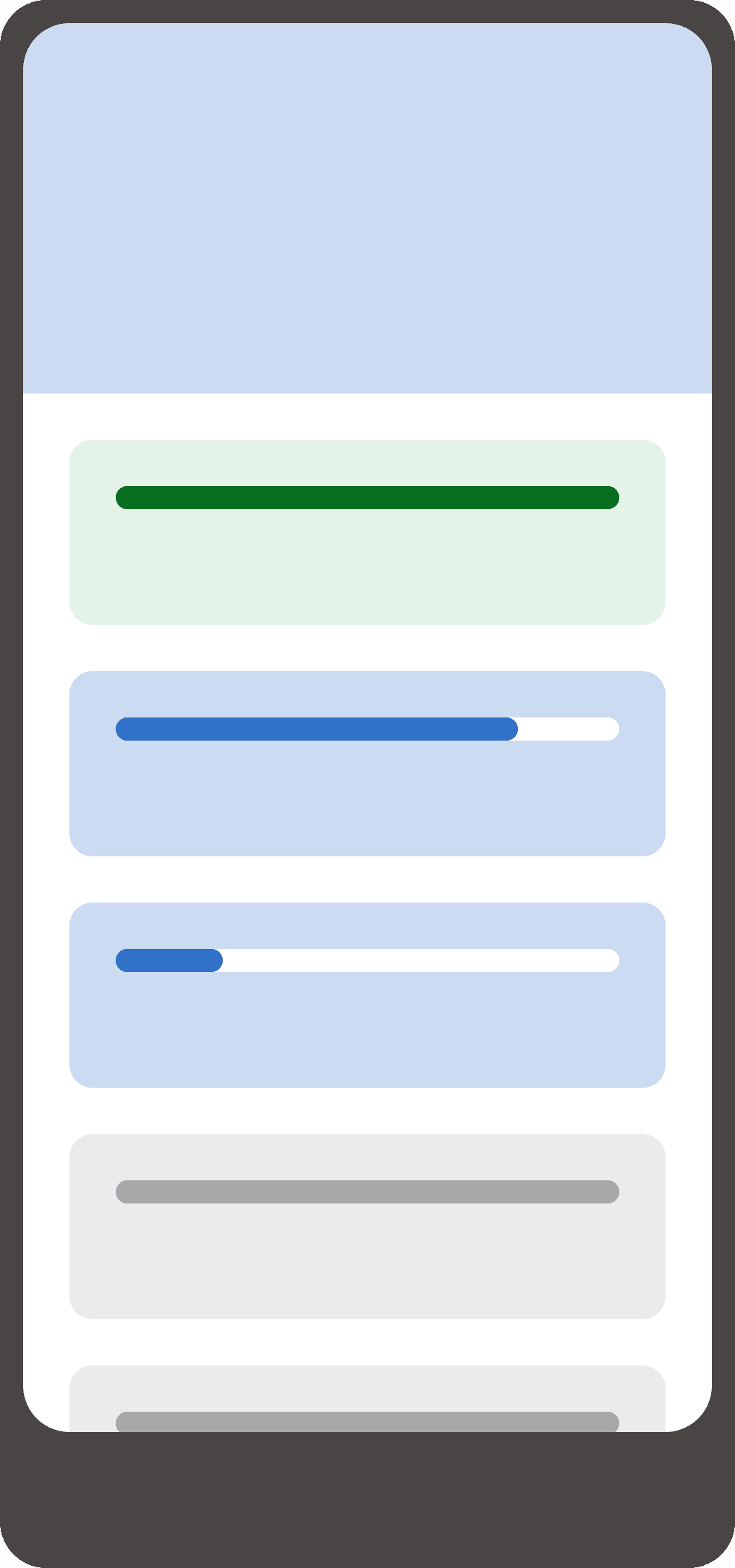
Display all tasks
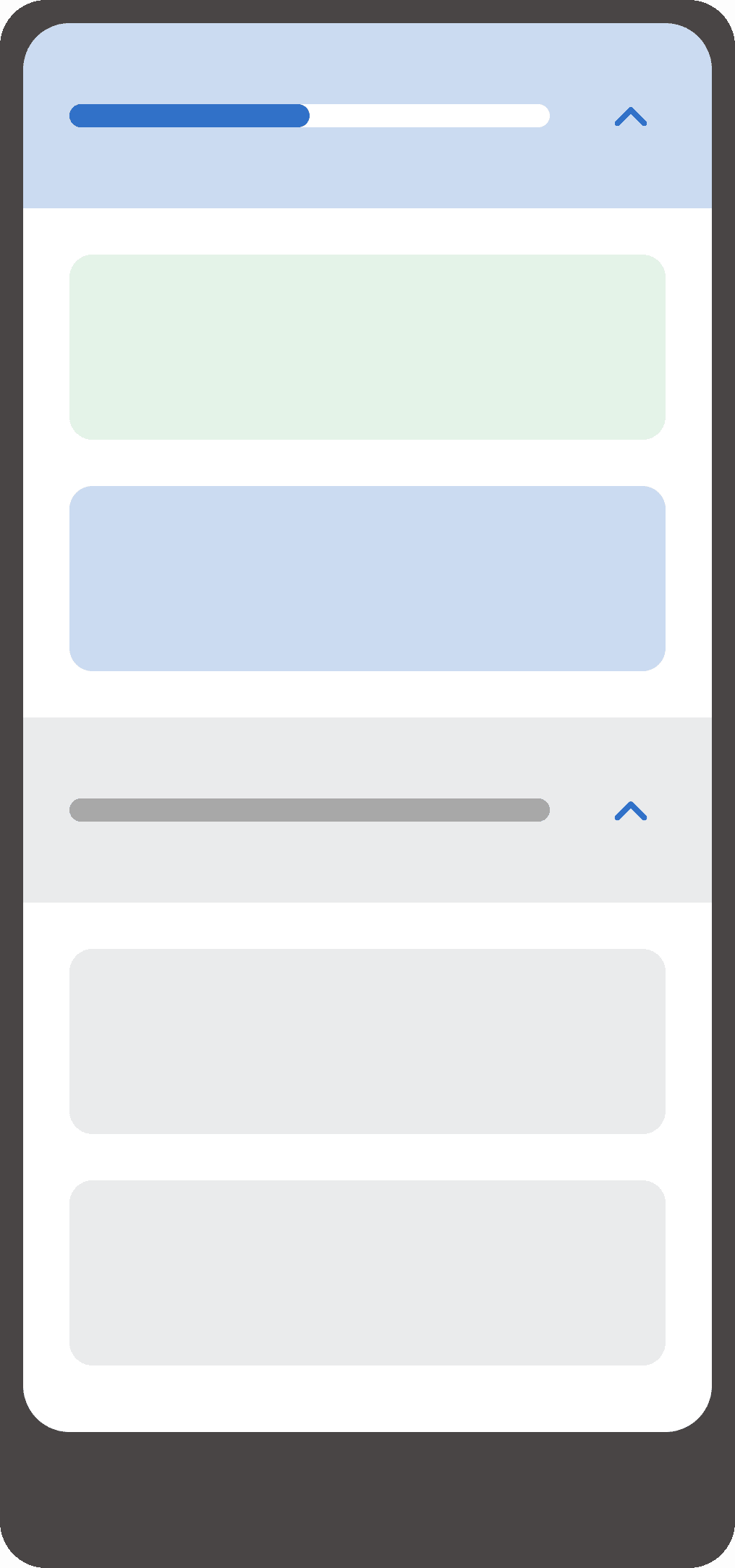
Group tasks
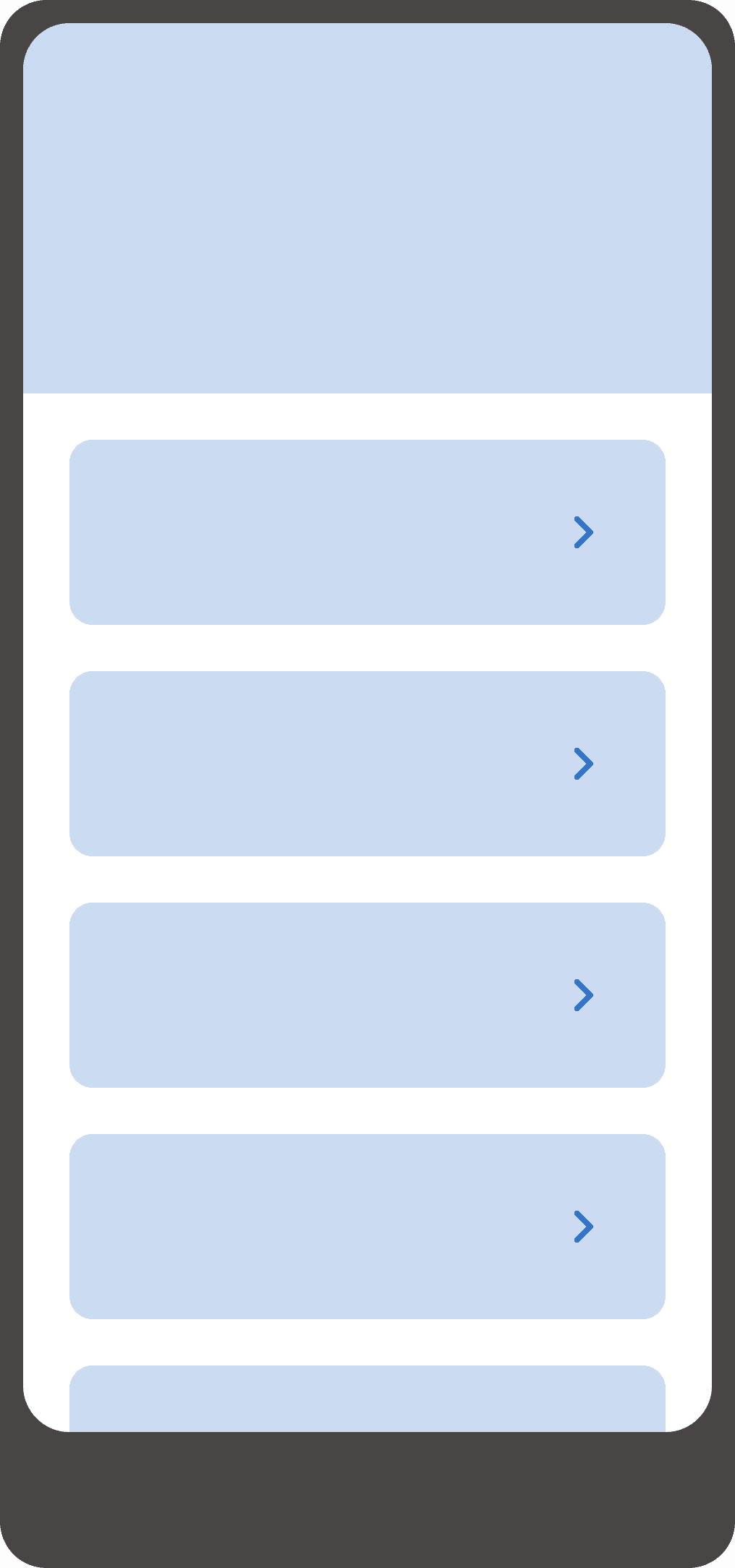
Nest tasks
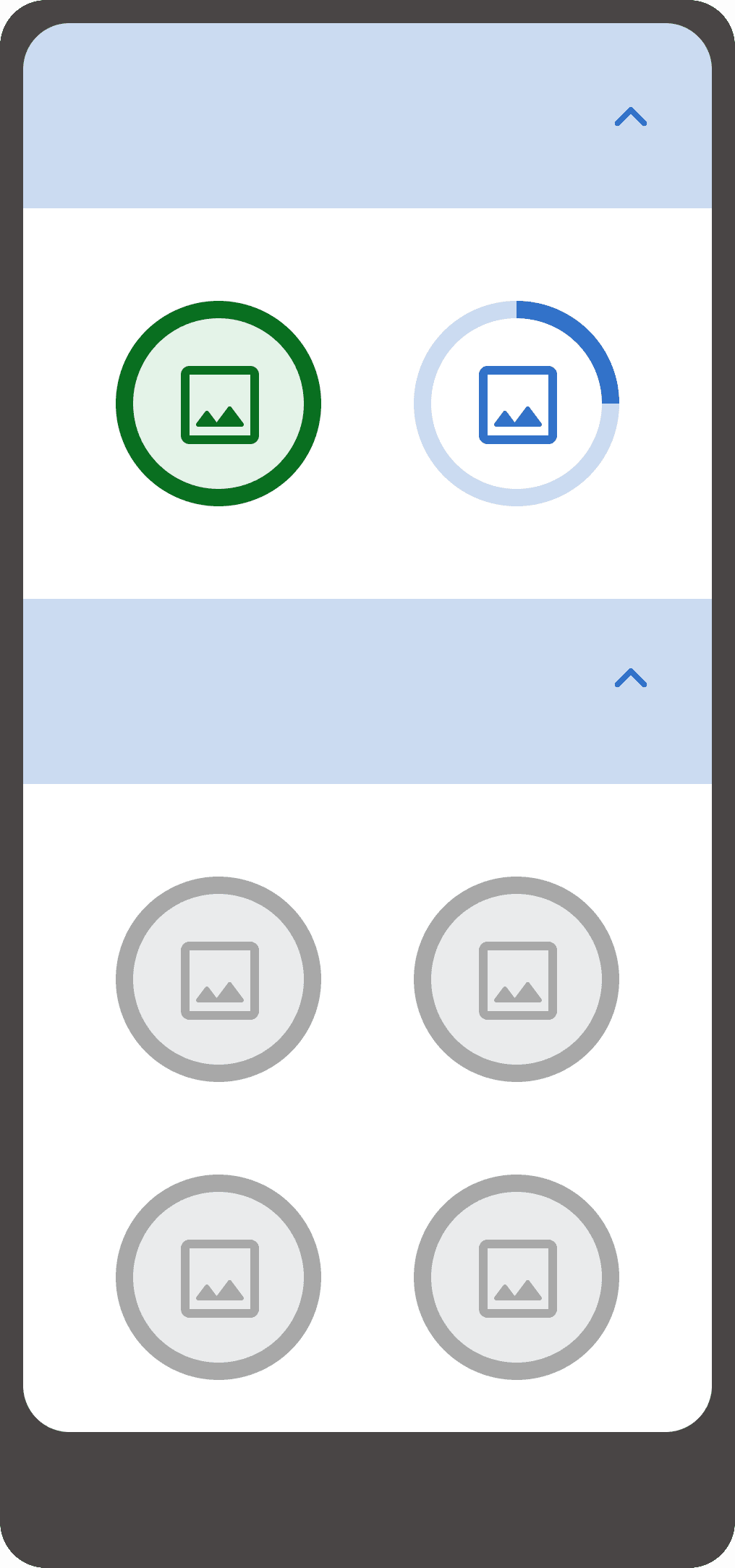
Gamify tasks
Evaluating direction
Option 1
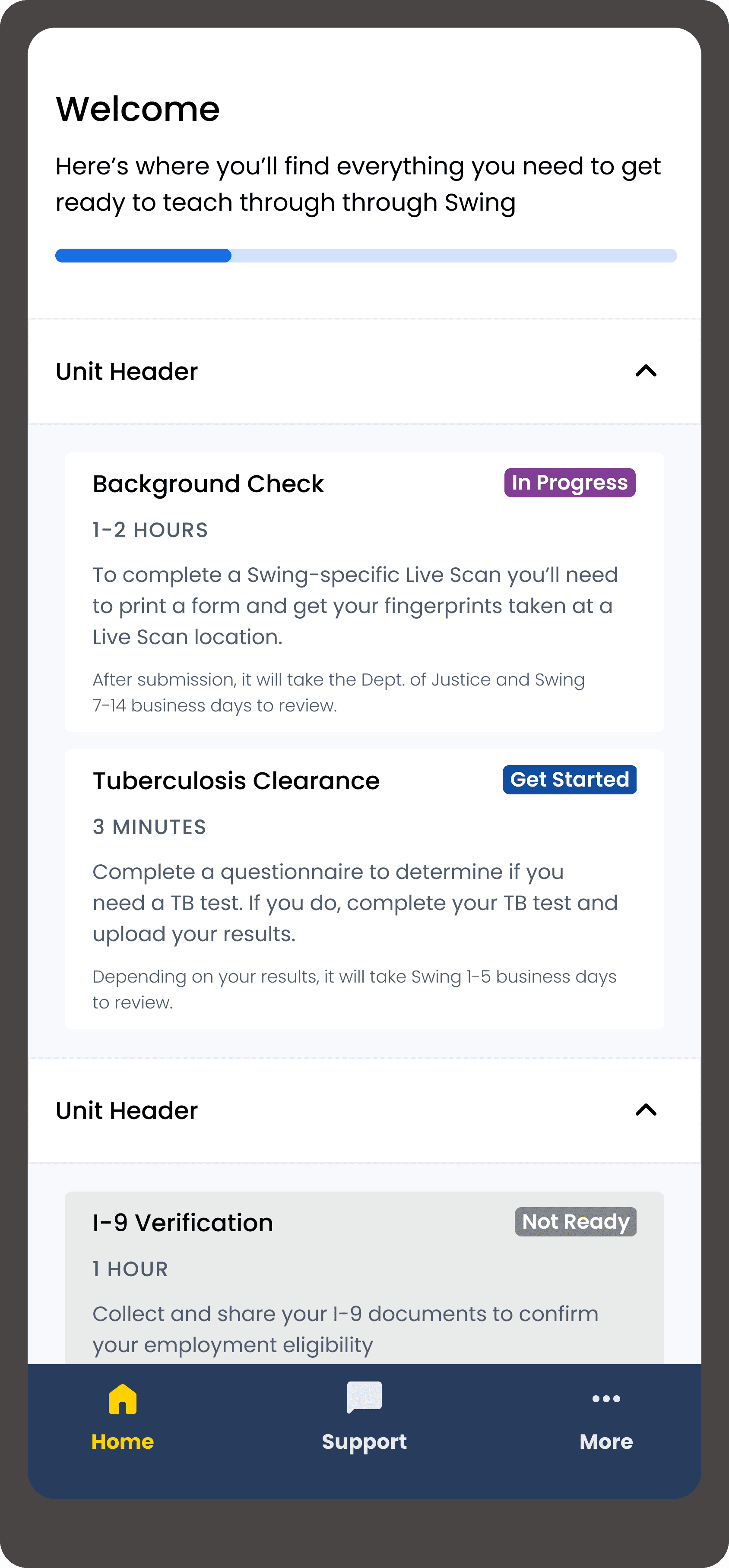

“Units” acted as checkpoints for task dependencies but the grouping didn’t add value for the end user
High-level progress gave users a quick overview, but incremental visual changes felt underwhelming
The text hierarchy wasn’t working here which led me to reconsider content prioritization and scannability
Option 2
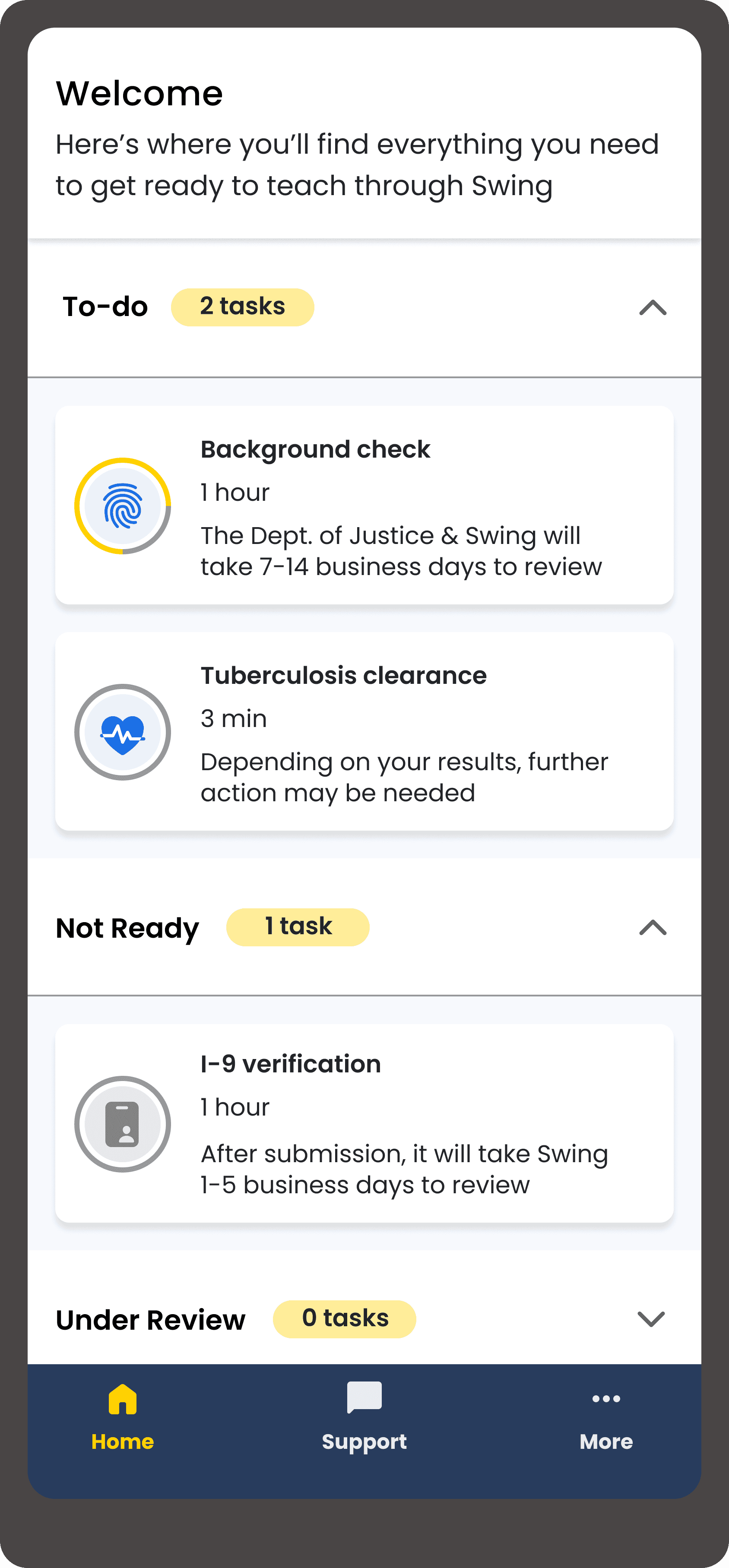

Segmenting by status mirrors a to-do list, supports dependencies, and provides a scalable pattern
Task-level progress offered visibility into current status and reinforced momentum toward completing tasks
Visual icons improved scannability and made the task card feel less cluttered
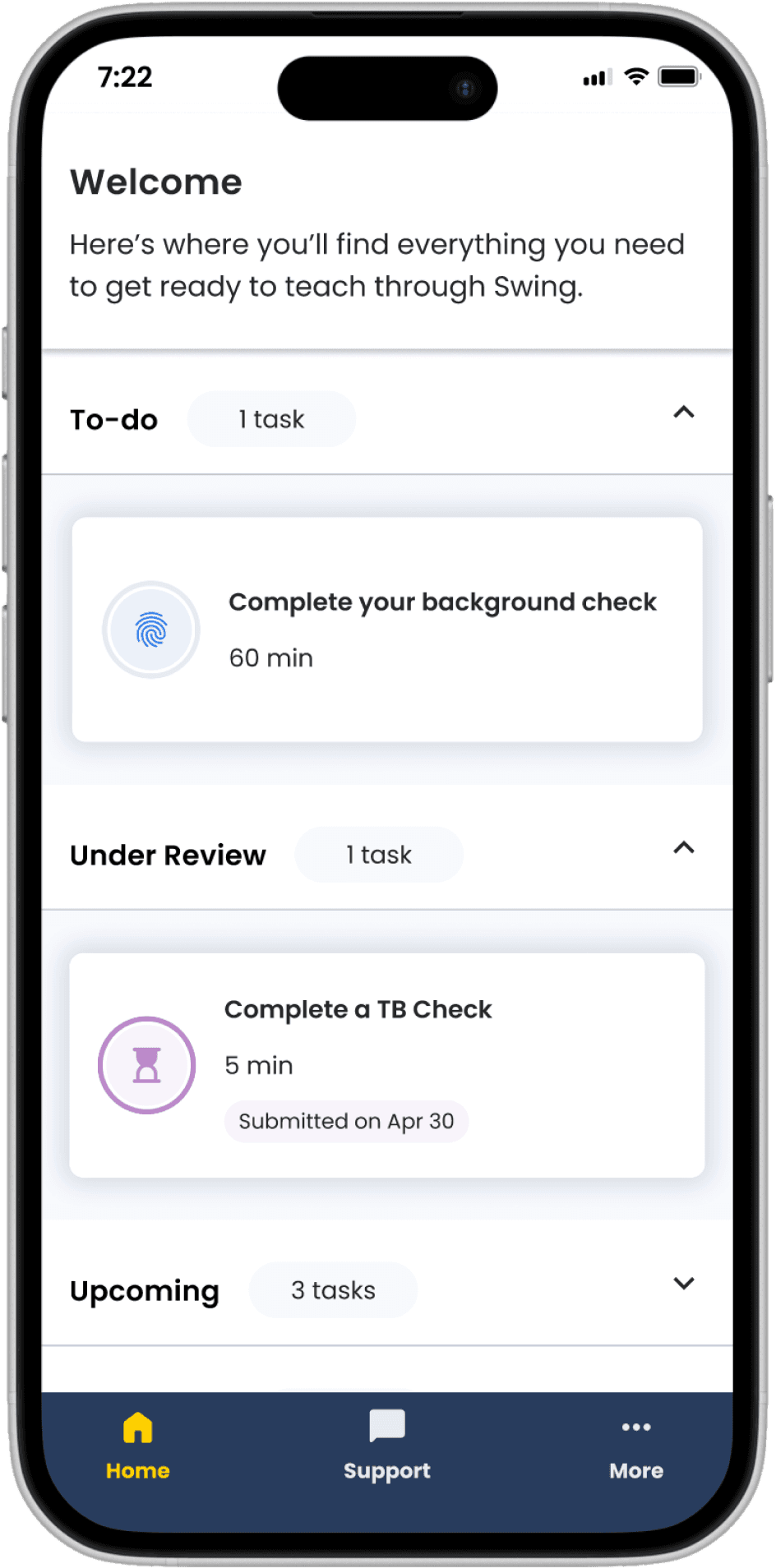
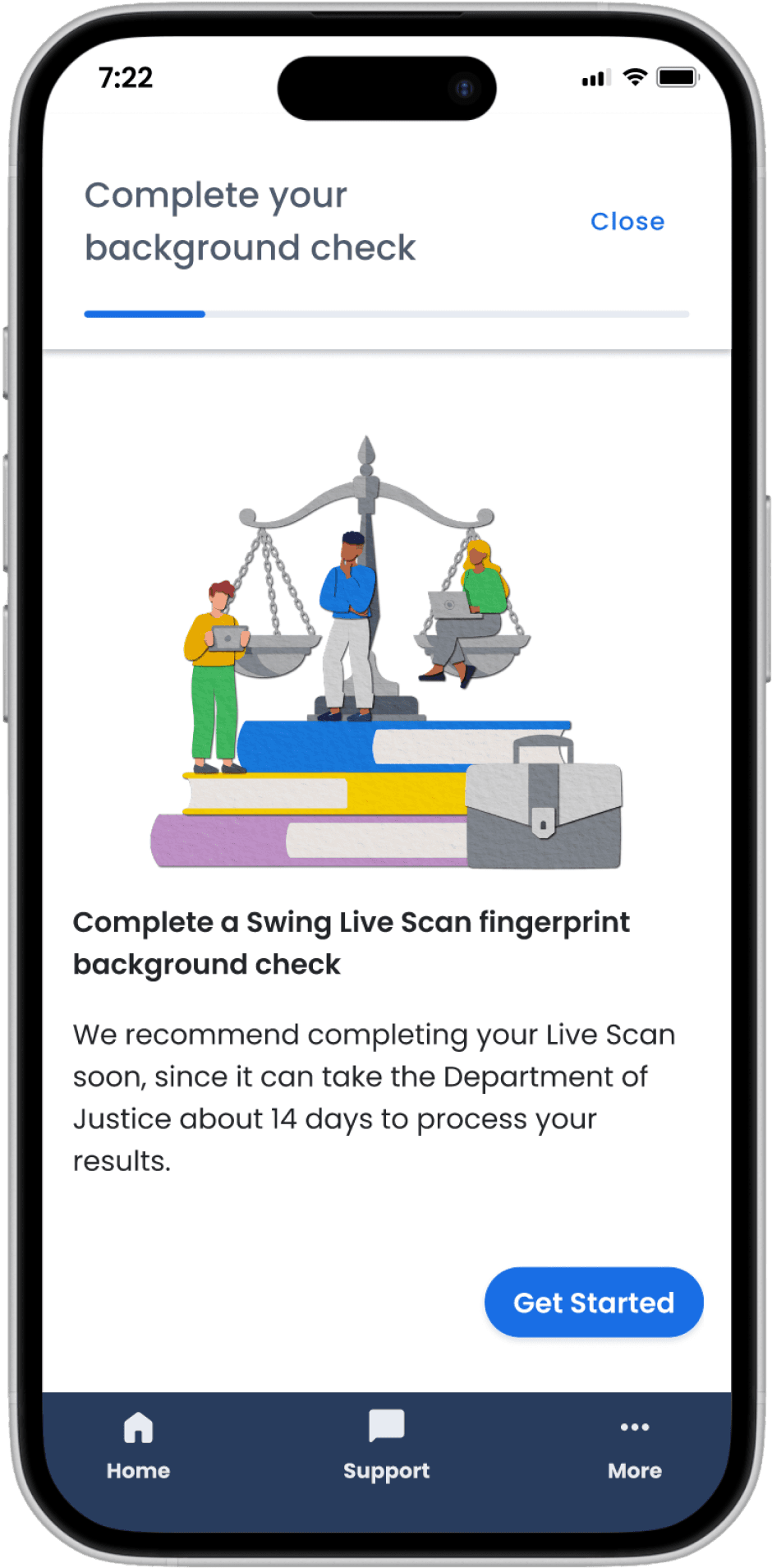
Refinement through usability testing
Observing what users expected, noticed, and overlooked helped me

Building the design system from scratch
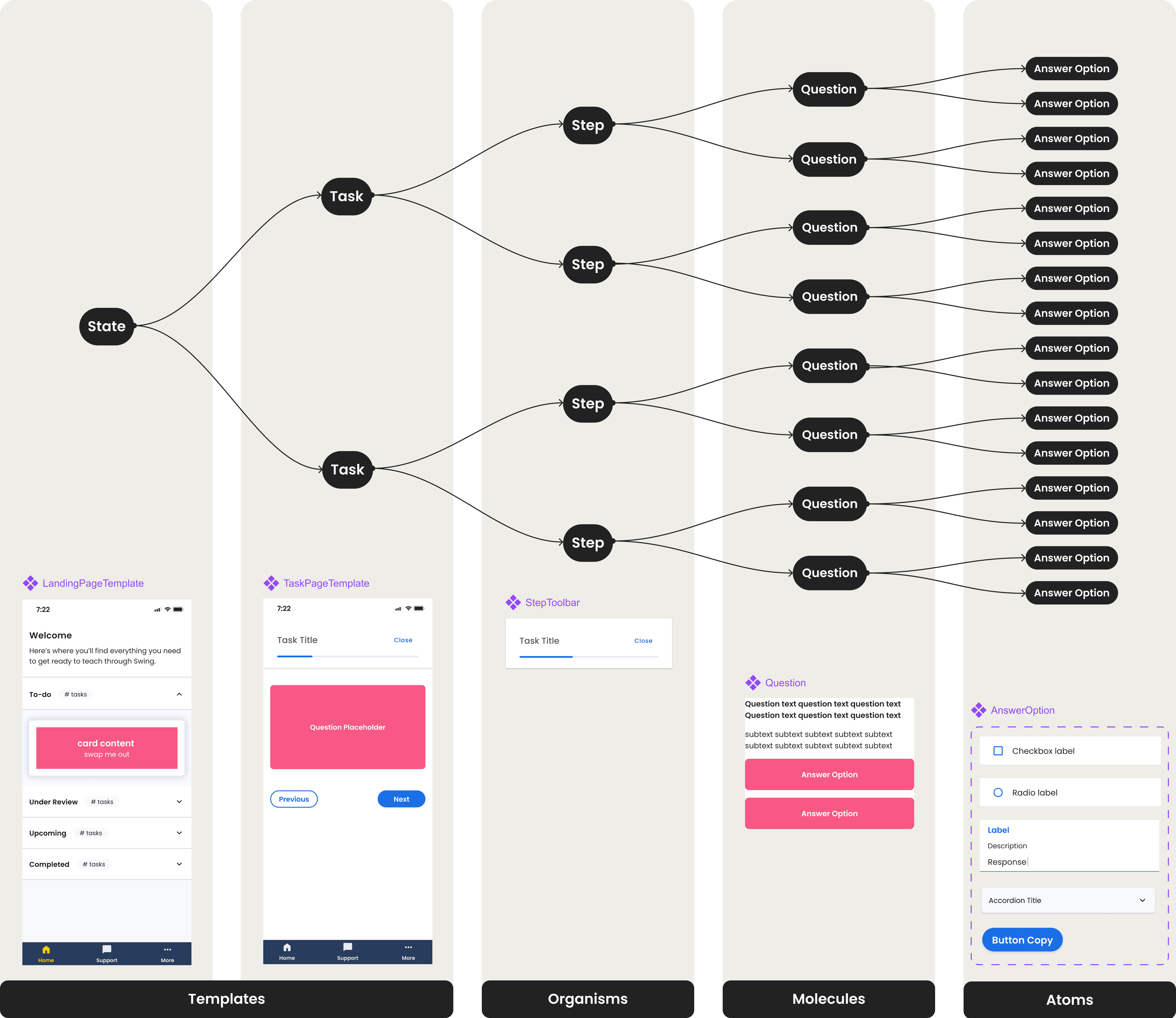
I stress tested my designs across every task and territory to consolidate the types of components we would need.
I collaborated with engineering to ensure the design system aligned with the data model and prioritized atomic design principles.
Reducing engineering burden
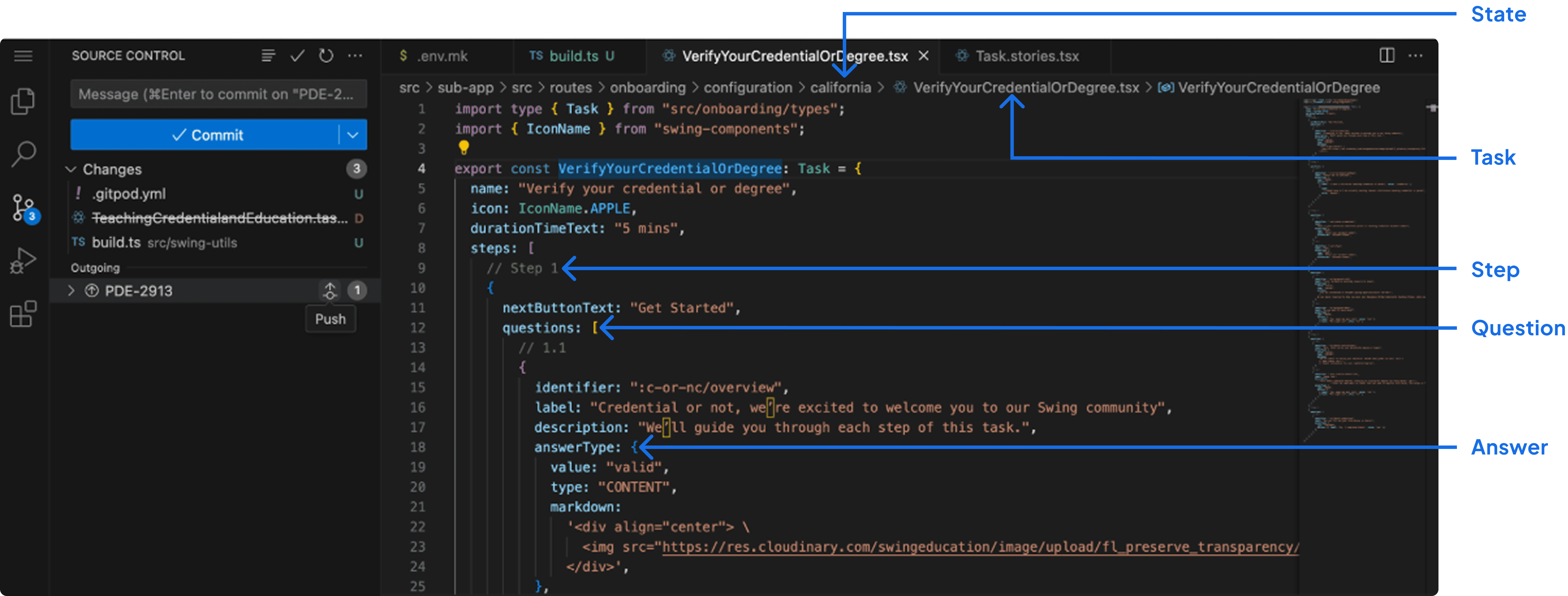
For the onboarding build in our other states, engineering is able to create “skeleton files” and I’m able to configure the front-end using the State, Task, Step, Question, and Answer Option structure.
When customer support shares that users are confused at a given step, I’m able to create merge requests with minor UI or copy updates to test fixes with minimal engineering support.
Proactively stepping in as Product Manager
When our PM went on maternity leave, I supported attribute mapping, wrote and executed test cases, managed releases through LaunchDarkly, triaged bugs, and tracked metrics in Mode.
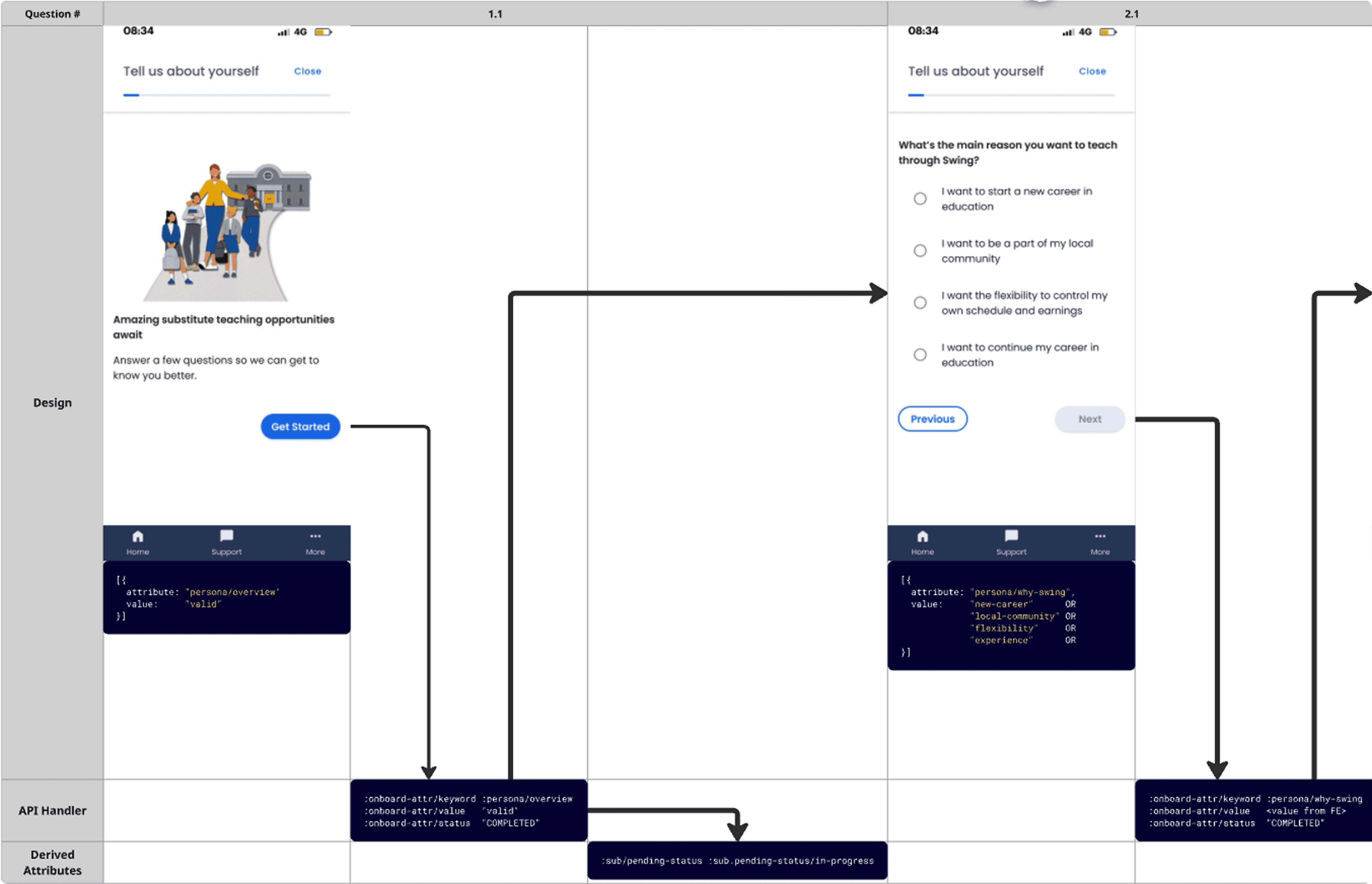
Mapping how attributes flow from the UI to the backend
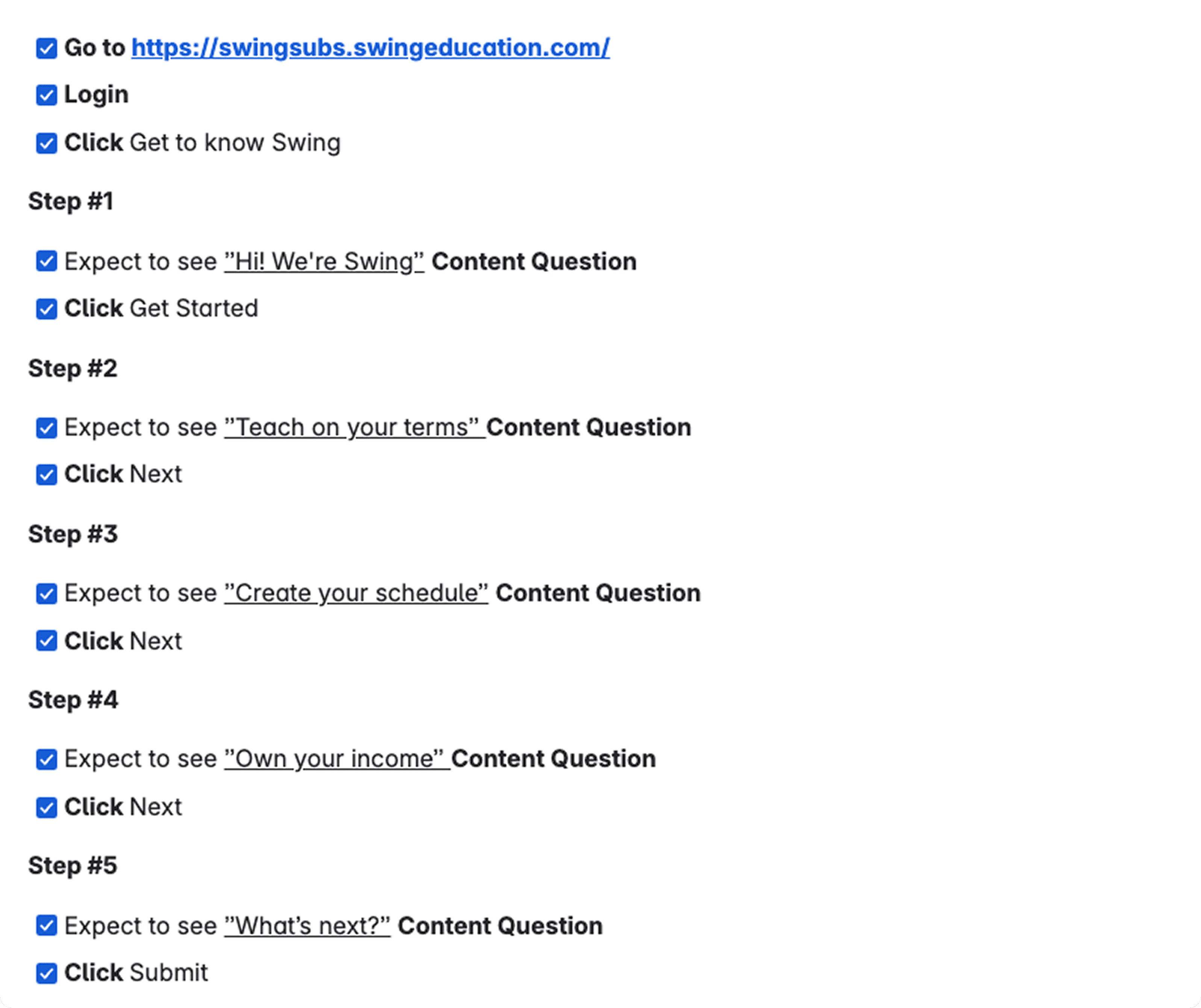
Executing test cases to prep for beta release
Reflections
Designing for flexibility without over-customizing
Many of the off-platform tasks had complicated flows and edge cases. I learned to resist the urge to design customizations and instead build a standardized interaction model that supports variation without breaking the system.
Prioritizing the essential over the ideal
With a blank canvas, it was easy to imagine a perfect end-state. The real challenge was identifying what was required for V1, what could be deferred, and how to ship a strong experience without overextending the scope.
The power of systems thinking
The biggest shift for me was learning to design components using atomic design principles. Creating the design system from scratch taught me how much consistency and long-term scalability depend on system-first thinking.
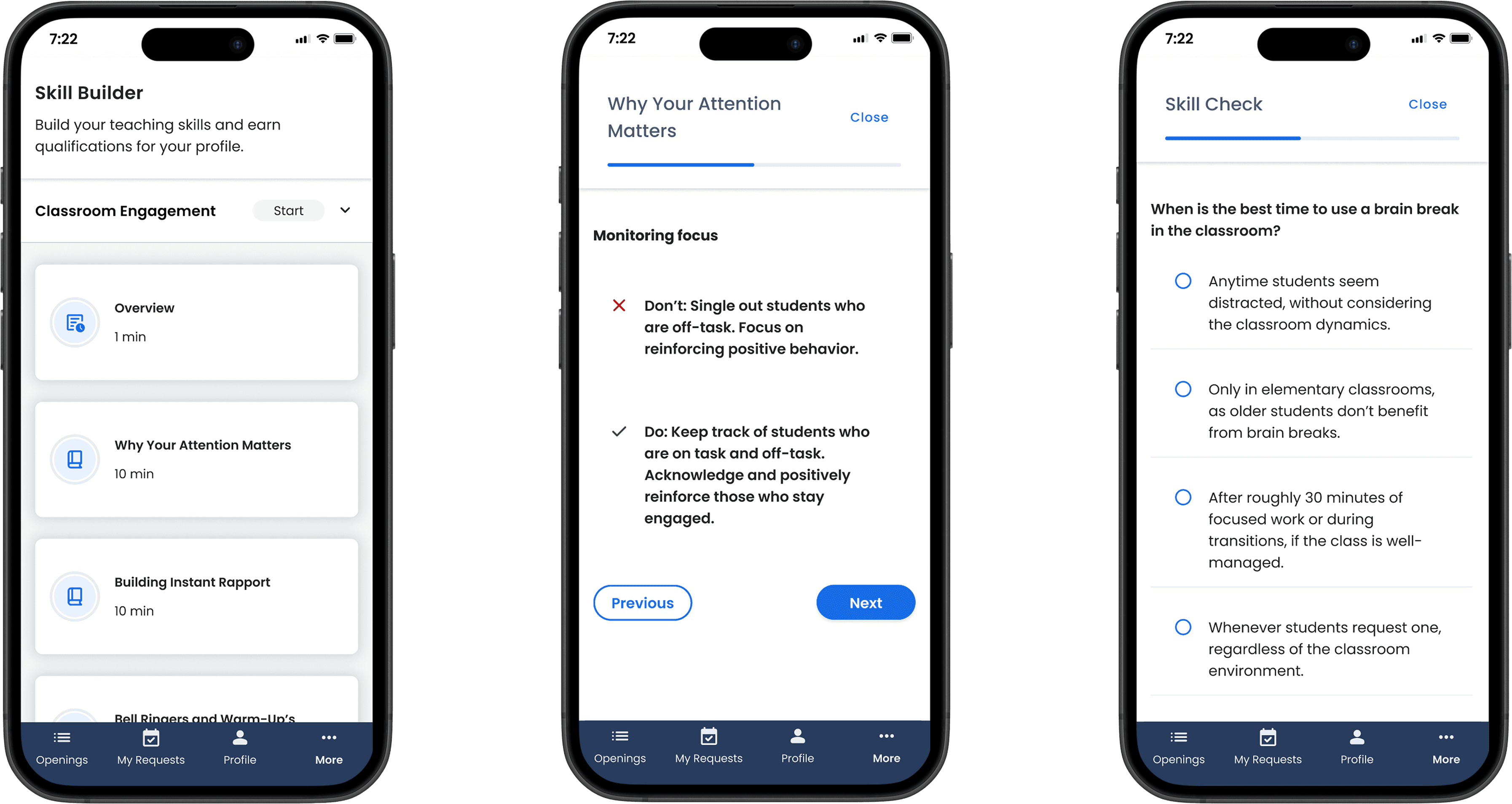
Soon after onboarding, the team began working on “Skill Builders” for substitute teachers. This became a clear validation of systems thinking - these components allowed us to ship a new feature rapidly, with reduced engineering lift.
Swing Education
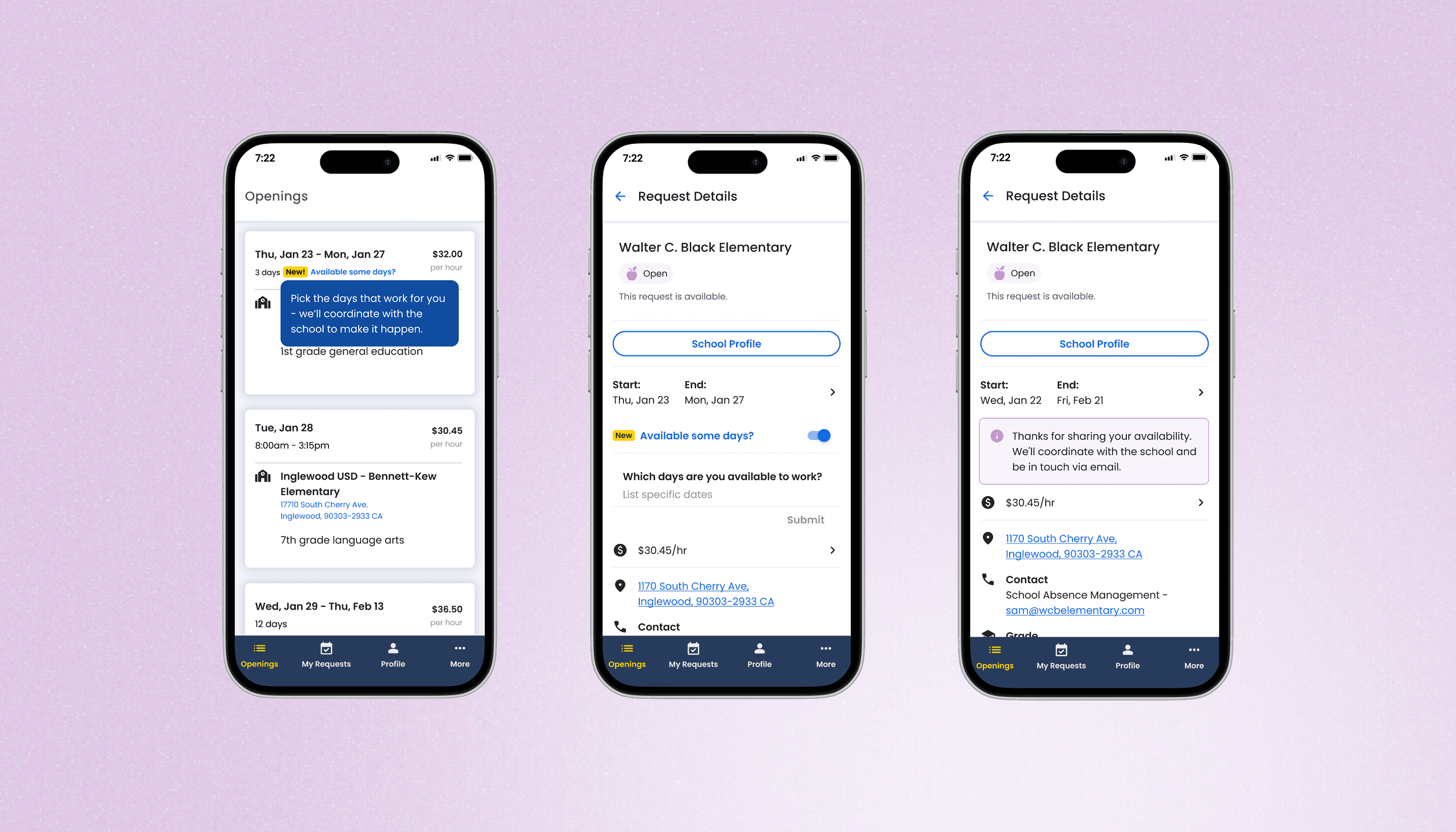
Multi-Day Classroom Coverage
a data-driven experiment that reshaped the approach for increasing fill rate
Read more

Swing Education
Absence Management
an exploration of UI concepts to reduce administrative burden
Niki Donlon
Get in Touch